

Table of Contents
Table of Contents
Running a landscaping business can be fulfilling, but it's hard work.
It becomes more overwhelming when you’re manually handling processes like scheduling, invoicing, customer requests, and time tracking, on top of fieldwork.
You’ve been there, so you understand the stress of juggling disconnected tools while coordinating with clients, office, and field teams.
You need the right landscaping tools in your stack to keep things organized and operations efficient.
Landscaping business apps help you do just that, including simplifying operations and winning landscaping contracts.
Listed below are 20 of the best software systems and applications in the green industry for:
Landscaping design
Financial management
Business and operations management
Route planning
Disclosure: This article was created by Aspire and may reference its own products and services. The content reflects the author’s perspective and is based on publicly available information, accurate as of August 2026. Companies and tools are listed for informational purposes only and are not ranked or endorsed unless explicitly stated.
Best landscaping design apps
Landscaping design apps are tools that enhance the planning, design, and execution of landscaping projects.
They vary in features and use cases; some create stunning 3D renderings of outdoor spaces, while others serve a single function, like choosing the right plants or taking measurements for garden design.
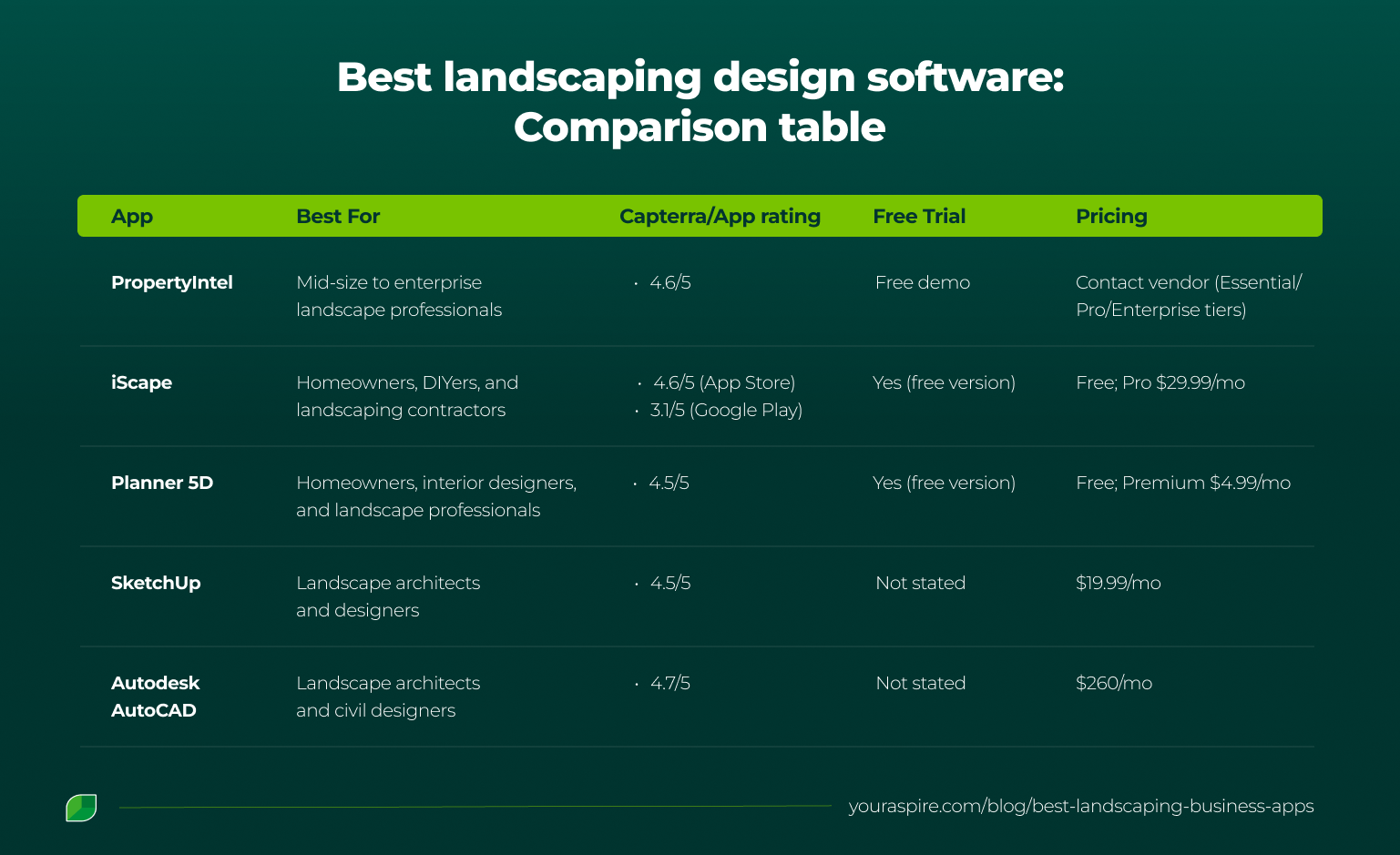
The table below compares the best landscape design apps.
1. PropertyIntel, an Aspire Solution
Source: Aspire
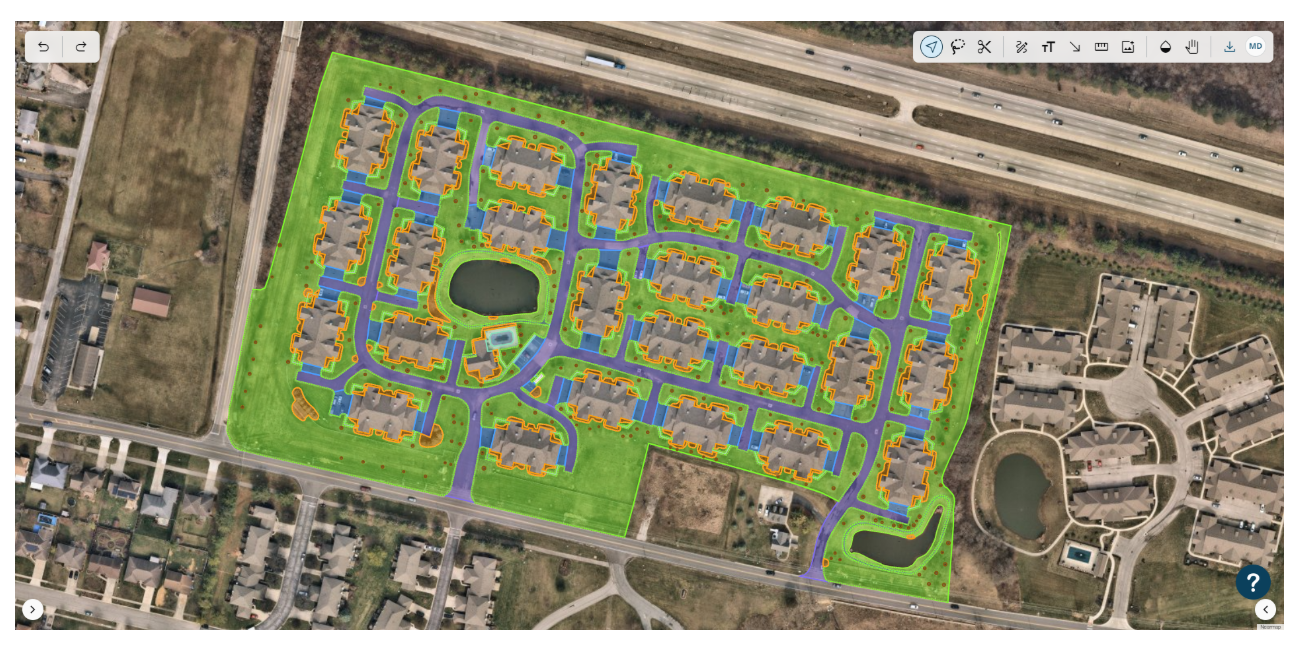
PropertyIntel, an Aspire Software solution, is an automated measurement and estimating software tool landscapers use to calculate precise takeoffs and quantities.
It uses AI to measure a property’s dimensions, slopes, and boundaries without an on-site visit, so you can design layouts that fit the actual space.
While it’s not a typical design tool, its measurement capability helps inform material quantities and speeds up the design process with dimensions and site conditions available upfront.
The PropertyIntel app automates data insights, reports, and optimization to ensure accurate estimates and drive profitability.
PropertyIntel also enhances proposal design with plants, materials, and hardscaping features. Users select from thousands of images and icons using the included image library.
Capterra rating: 4.6/5 stars
Best for: Mid-sized to enterprise landscape professionals who need to scale estimating and proposal volume.
Pricing: PropertyIntel offers the following plans and includes unlimited users.
Essential: For measuring and estimating up to 10 properties per month; includes unlimited users
Pro: For growth-minded businesses, includes unlimited users, project templates, and visual proposals
Enterprise: For bidding more than 100 properties per month, includes unlimited users, project templates, visual proposals, and branch management capabilities
Pros:
Clean UI: “PropertyIntel provides a clean, user-friendly interface and makes it easy to organize project information in one place.”
Easy to use for take-offs: “It’s easy to use, fast, and accurate. You can do property takeoffs quickly and accurately with a lot of different options...”
Provides relevant design information: “The aerial imagery, parcel data, and property details are useful during the estimating and preconstruction process. I also appreciated how quickly I could access information without having to jump between multiple websites.”
Cons:
Limited integration options: “I'd also like to see better integration with estimating and project management software, along with more customizable reporting and export options.”
Top features:
Multiple project options: Create takeoffs for maintenance work, design-build projects, seasonal enhancements, and new opportunities.
Accurate imaging: Use high-resolution aerial imagery and PDF uploads to create fast, professional takeoffs.
Automated cost calculations: Automatically calculate time, material, and cost estimates as you measure, using data imported from your pricing database.
Win-ready proposals: Send visual proposals with color-coded project sitemaps and customizable letters.
2. iScape
Source: iScape
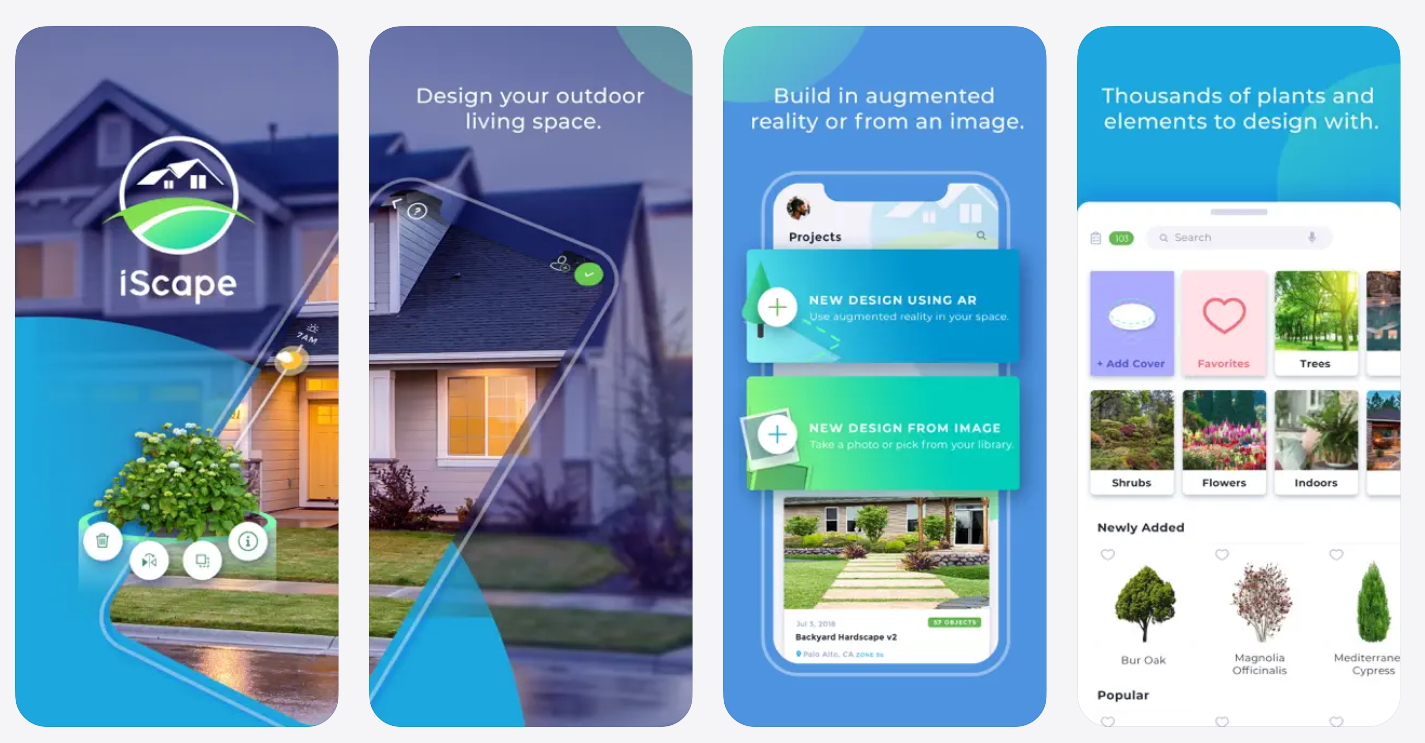
iScape is a mobile AR design app that lets users overlay 2D or 3D landscape designs directly onto a live camera view of their actual yard, instead of starting from a blank canvas.
Essentially, users snap property photos and use drag-and-drop to add plants, furniture, and other visual elements to show customers what they’ll get.
You can also design quick proposals from the mobile app, helping you provide accurate quotes and clearly outline the work to be completed.
Apple Store rating: 4.6/5 stars; Google Play Store rating: 4.4/5 stars
Best for: Homeowners, DIYers, and landscaping contractors.
Pricing:
Free version
Pro: $29.99/mo
Enterprise: Available on demand
Pros:
Focused on landscaping: One of the few garden planning apps specifically focused on flowers and landscaping rather than farming.
Easy to use: Simple to add plants, trees, and décor to photos, making it quick to create realistic designs.
Great for beginners: An easy option for new garden designers and landscapers who need to create quick client presentations.
Cons:
Limited editing: Offers limited editing capabilities, especially when working with different viewing angles or positioning items like benches.
Few design options: Limited choices for paving, colors, and plants can restrict customization.
Limited free version: Only a small selection of items is available in the free version, with most features and content requiring a subscription.
Top features:
AR overlay design: Place plants, pavers, and structures onto a view of a property in real time.
Visual icon library: Choose from thousands of plants, mulch, hardscaping materials, and water features from the included design library and plant database.
Quick proposals: Convert designs into high-quality proposals and send them to customers with a few taps.
3. Planner 5D
Source: Planner 5D
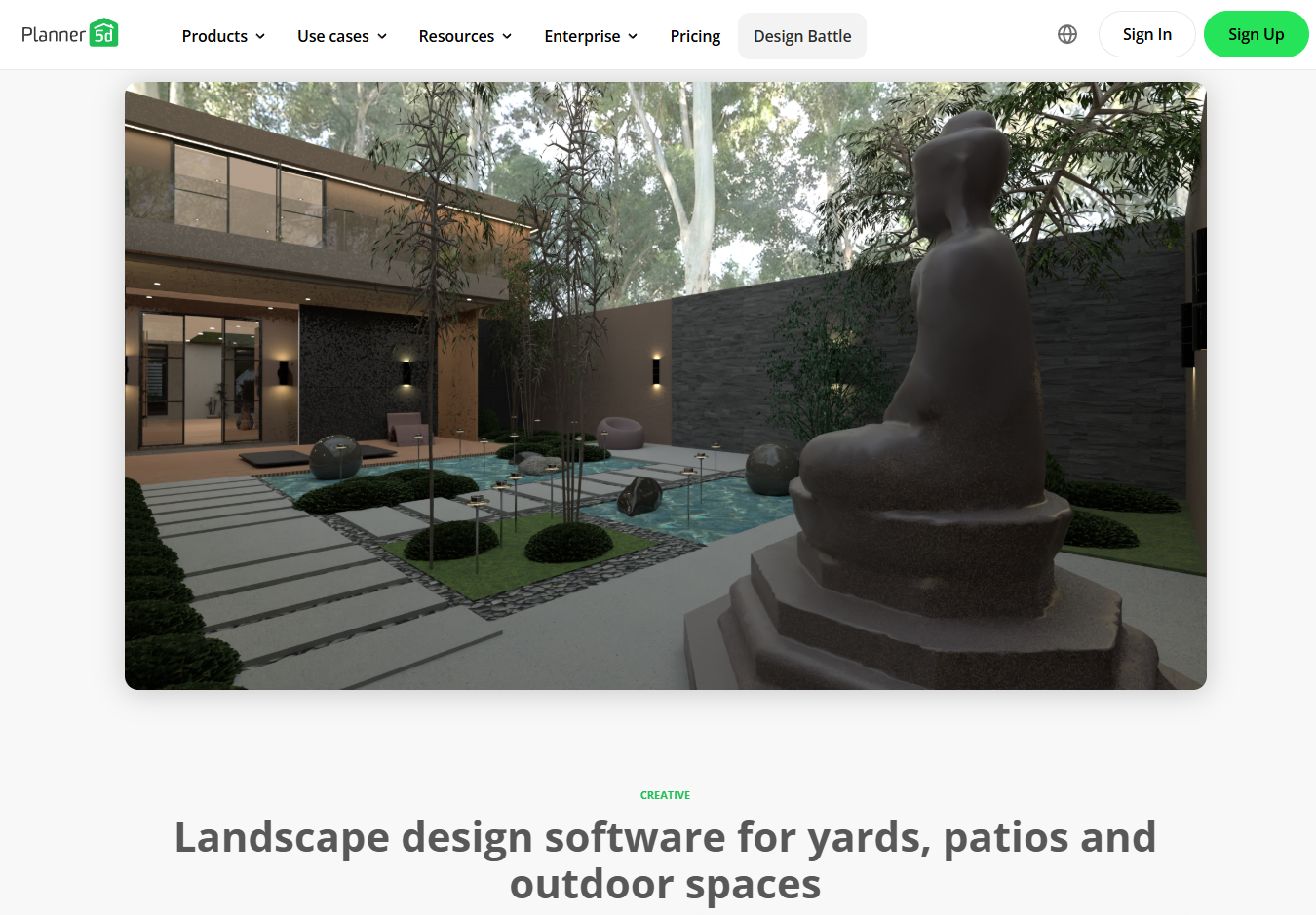
Planner 5D is a landscape design tool for creating outdoor spaces with 2D and 3D design tools, realistic rendering, and a library for yards, patios, decks, paths, pools, and exterior structures.
You can start designs here with a new layout, import an existing plan, or use templates.
If you want to outsource design, Planner 5D has a dedicated team to help turn landscape design ideas into a clear plan with guidance and custom solutions.
Capterra rating: 4.5/5 stars
Best for: Homeowners, interior designers, and landscape professionals who want quick, realistic 3D visualizations without a design background.
Pricing:
Free version
Premium: $4.99/mo
Professional: $33.33/mo
Enterprise: Available on demand
Pros:
Easy to use: Intuitive interface that’s accessible even for users without a design background.
Professional rendering: High-quality renders and features make it a well-built, professional design tool.
Flexible floor plans: Makes it easy to create custom floor plans and view them in both 2D and 3D.
Cons:
Slow material changes: Changing materials across individual surfaces can be tedious and time-consuming.
Limited furniture selection: The furniture library could use more options and variety.
Limited lighting options: The lighting selection may feel restrictive for more detailed designs.
Top features:
AI design tool: Helps create outdoor layouts quickly and auto-generate 3D spaces from a 2D layout.
Cross-platform access: Works on mobile devices, tablets, web, and major operating systems.
3D rendering tools: Helps you create hand-drawn or photo-realistic landscape plans to communicate your vision with clients, coworkers, or contractors.
4. SketchUp
Source: SketchUp
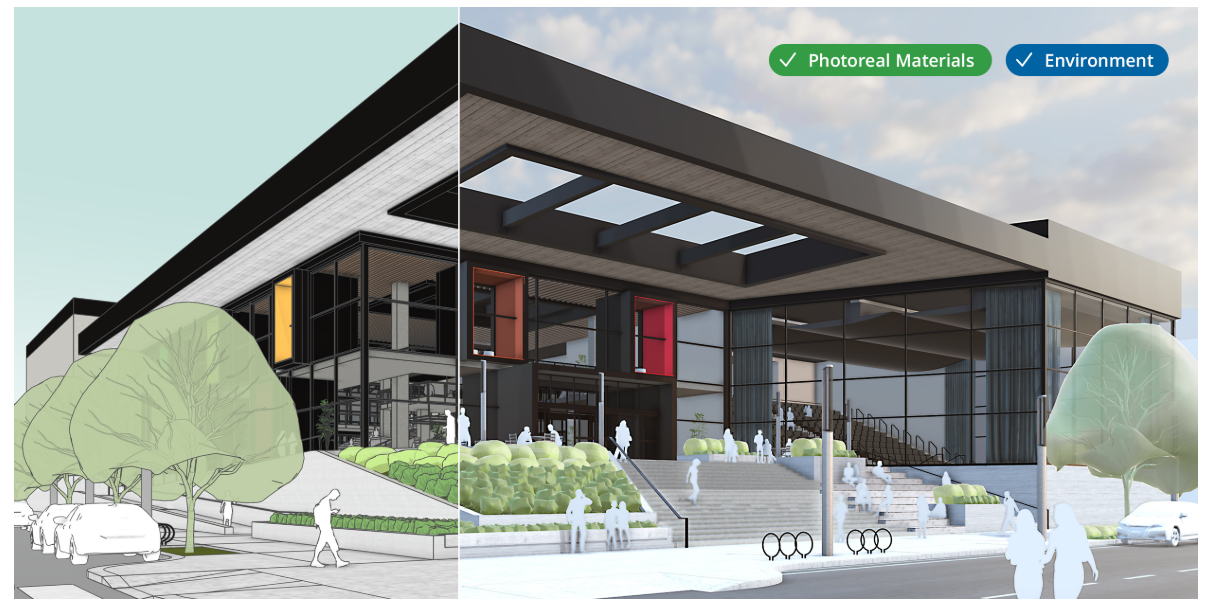
SketchUp is a 3D design app for landscape architects, urban planners, and construction designers. The software lets designers create lifelike, immersive presentations that customers view through AR and virtual reality applications.
To avoid building layout concepts from scratch, SketchUp includes a massive library of ready-to-use 3D models, from plant life to vehicles.
Users can also convert contour lines into full surfaces, map hardscaping features onto uneven terrain, and seamlessly import site scans, terrain images, or 2D CAD files.
Capterra rating: 4.5/5 stars
Best for: Landscape architects and designers who want flexible concept modeling and have technical experience.
Pricing:
Go Monthly: $19.99/mo
Pro Monthly: $99/mo
Pros:
Easy to learn: Beginner-friendly 3D modeling software that’s also powerful enough for professional use.
Extensive model library: The SketchUp Warehouse offers a wide range of downloadable models to enhance projects.
Great for presentations: Useful for landscape architects who want to present different concepts to clients and gain initial approval.
Cons:
Requires powerful hardware: Large or complex projects can slow down or crash the software, especially on standard computers.
Limited rendering & modeling: Rendering quality can be underwhelming, and modeling capabilities may feel limited for advanced projects.
Basic layer management: Layer tools are less intuitive and flexible than those in software like AutoCAD or Photoshop.
Top features:
Image and icon library: Users can access over 4 million pre-built 3D models, including vegetation, planters, vehicles, and hardscaping materials.
Powerful presentation: Enables customers to view immersive design mockups with AR goggles.
Geolocation: Input latitude and longitude to include actual terrain imagery with a few clicks.
5. Autodesk AutoCAD
Source: Autodesk AutoCAD
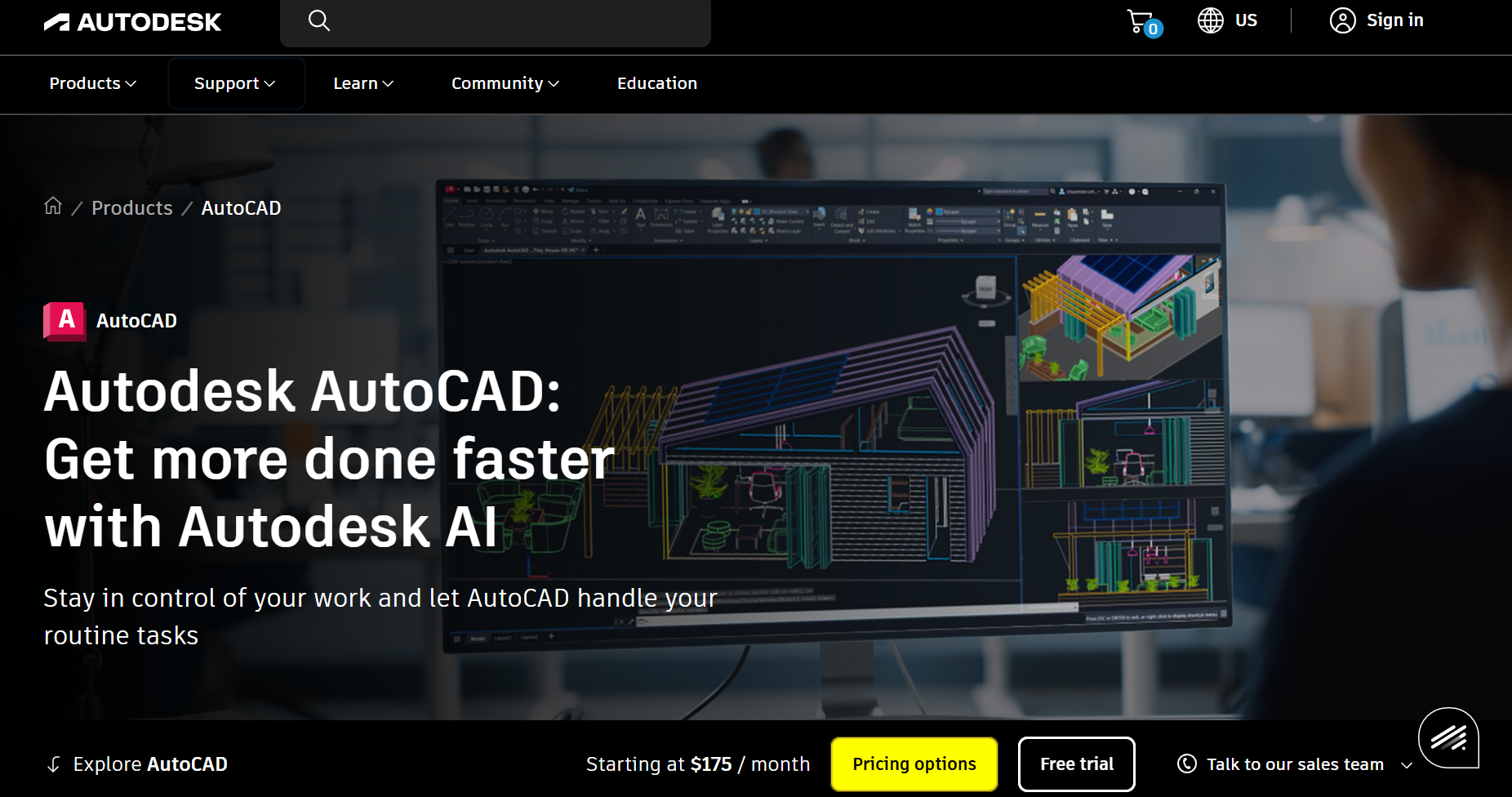
AutoCAD is primarily for architects, engineers, and manufacturers, offering 2D drafting, 3D modeling, annotation, and visualization.
This makes it a versatile tool for design and documentation.
While other design tools focus on client-facing renderings, AutoCAD helps you build dimensioned site plans, grading, and drainage details that meet engineering and permit requirements.
Capterra rating: 4.7/5 stars
Best for: Landscape architects and civil designers producing plans that require engineering-level accuracy.
Pricing:
Monthly subscription: $260/mo
Annual subscription: $2,095/year
Pros:
Reliable for everyday drafting: A dependable tool for plans, sections, and detailed drawings.
Excellent 2D drawing: Makes it easy to create precise 2D drawings and quickly copy elements using blocks.
Precise and customizable: Well-suited for creating detailed, customized client projects.
Cons:
Template-dependent settings: User settings can be applied to templates, which can make projects harder to manage.
External drawing issues: Imported drawings may adopt the user's settings instead of retaining their original settings.
Performance issues: Large files with heavy hatches or external references can slow down performance on less powerful computers.
Top features:
Safeguard access: Streamline document review with permission-based roles and approvals.
Save and reuse models: Add models to the design library for future use.
Convert 2D to 3D: Use Autodesk AI to turn 2D sketches into 3D models.
Best landscaping apps to use with QuickBooks
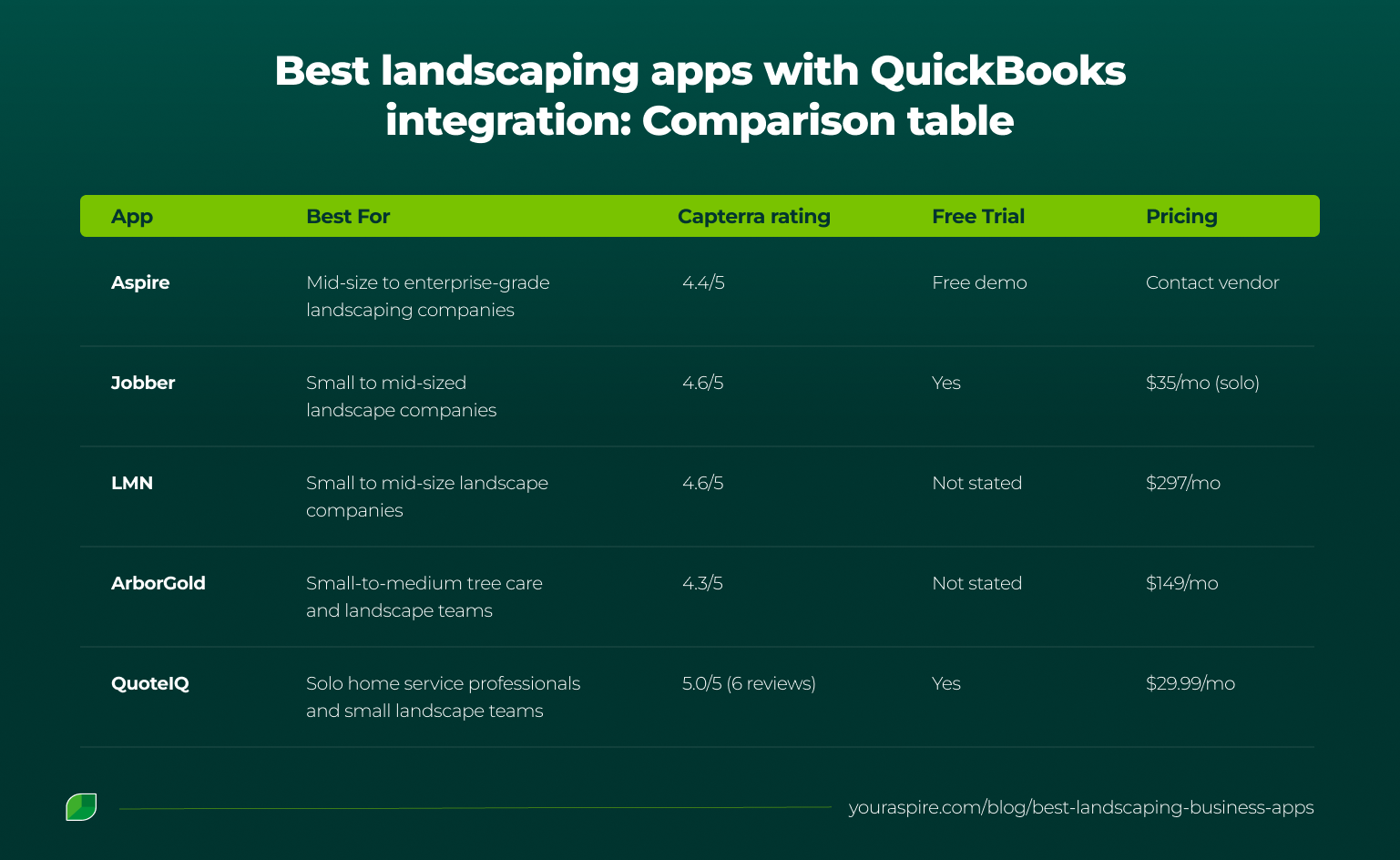
Landscaping software tools with a QuickBooks integration make it easy to manage your business’s finances and run payroll. They help keep accurate financial data in a single hub while reducing manual work and eliminating syncing errors.
Here are tools that fit those criteria:
6. Aspire
Source: Aspire
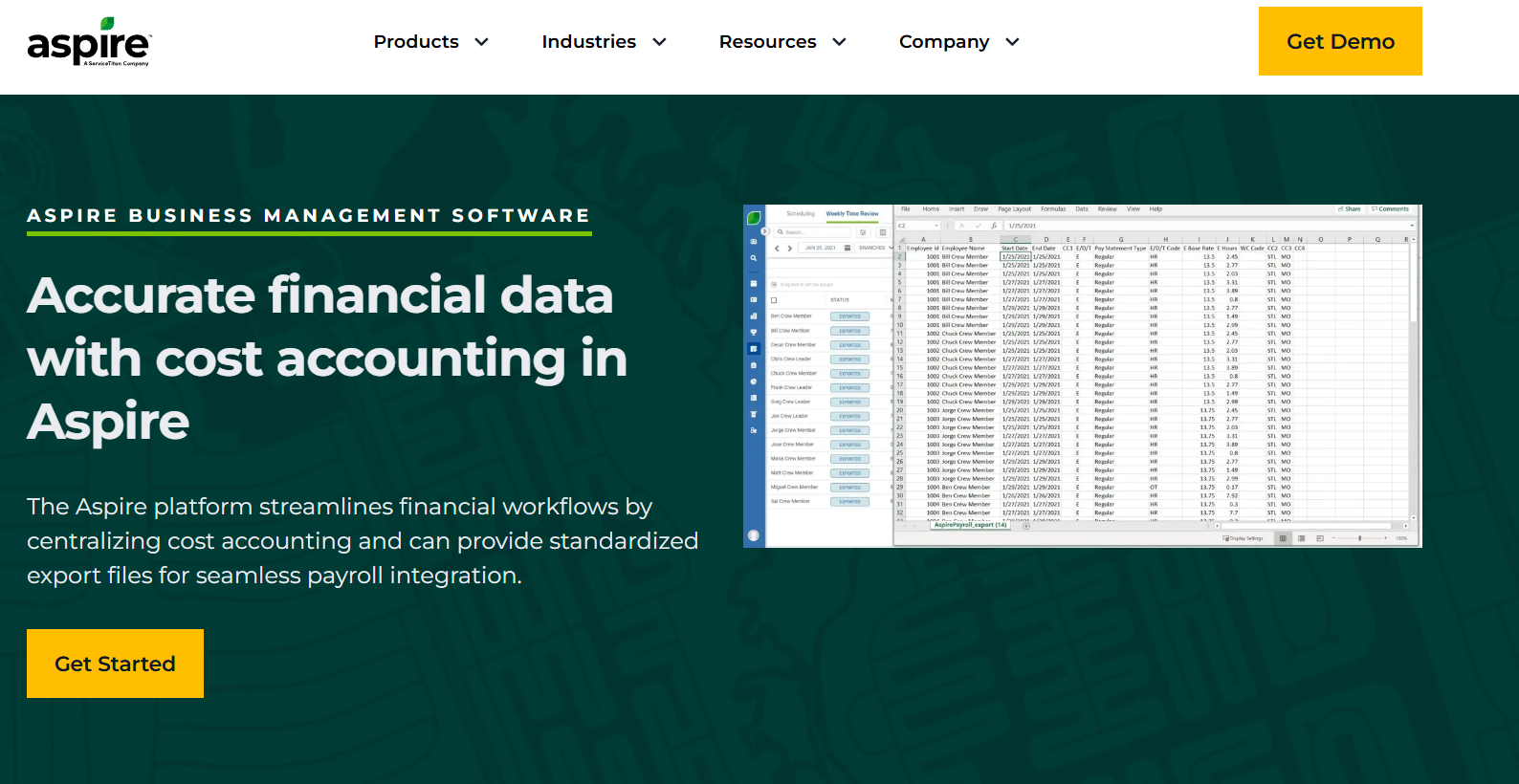
Aspire’s cloud-based landscape business software natively integrates with QuickBooks for accounting and syncs vendor invoices, A/R deposits, and end-of-month P&L data to the financial software.
This way, financial data flows from job costing directly into your books without manual reentry.
Aspire’s integration with QuickBooks ensures invoices approved in the landscaping tool are reflected in the accounting system, including payments recorded, new clients added, and service items mapped on Aspire.
Aspire also connects with Inova Payroll for payroll calculations, enabling you to manage every aspect of your business and control projects from a single platform.
Capterra rating: 4.4/5 stars
Best for: Mid-sized to enterprise-grade landscaping companies who need real-time job costing tied to QuickBooks to simplify their complex financial systems.
Pricing: Aspire’s pricing is available on request, offering full feature access and unlimited users to scale your company without facing rising technology costs.
Pros:
All-in-one operations: Manage nearly every aspect of landscaping operations within one system.
Data-driven insights: Collect and use operational data to make more informed business decisions.
Detailed business visibility: Track job times, material costs, workload, and other key business metrics.
Cons:
Requires extensive training: The platform can require significant hands-on training and attention to use effectively.
Top features:
Accurate payroll: Technicians clock in and out via a mobile device, improving accountability and ensuring accurate labor costs. Managers can review and approve time cards and quickly import data to their preferred accounting system.
Invoicing assistant: Quickly generate invoices from the platform or in the field using the Aspire Mobile app, then email them to the customer. Track and follow up on unpaid invoices in the platform to ensure timely payment and protect cash flow.
Job costing: Track labor and material costs in real time to ensure profitability and hit target margins.
Mobile payments: Deliver exceptional customer experiences and get paid faster when field crews use the Aspire Mobile app to collect credit card payments.
7. Jobber
Source: Jobber
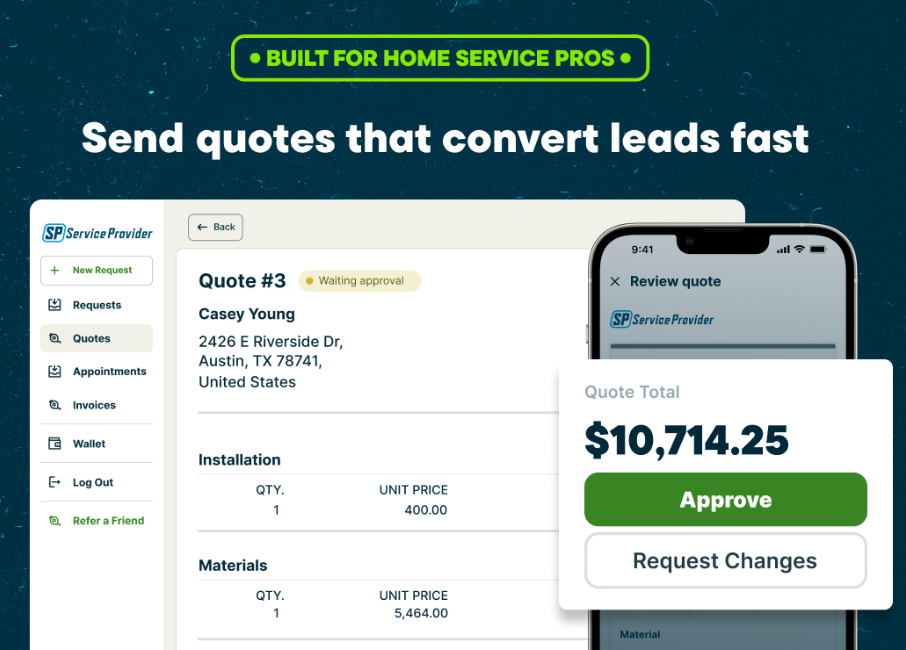
Jobber is a cloud-based field management tool with QuickBooks integration for small- and medium-sized field service businesses.
It syncs your clients, payments, invoices, timesheets, and payouts from Jobber to QuickBooks, ensuring your office team isn’t painstakingly reentering the books.
Plus, you have control over when an item from Jobber syncs with QuickBooks, whether it syncs once an invoice is created, once it is sent, or not at all.
This integration is only available through its “Connect” and “Core” plans.
Capterra rating: 4.6/5 stars
Best for: Small to mid-sized landscape companies that want a flexible QuickBooks setup.
Pricing:
Jobber’s pricing varies, depending on the number of users on your team. For a solo team:
Core: $49/mo
Connect: $139/mo
Grow: $199/mo
Pros:
Easy invoicing: Makes it easy to find, send, and manage invoices.
Faster payment collection: Collect client signatures on-site and issue invoices immediately to shorten payment cycles.
Easy to use: A robust, self-explanatory platform with accessible knowledge resources and IT support.
Cons:
Limited team management: More tools for mapping employee locations, managing client assignments, and viewing team schedules would be helpful.
Manual client entry: New client names don’t automatically populate when searching, requiring users to enter them manually.
Limited form customization: More customization options would be useful for client forms, especially for businesses without a website built on the platform.
Top features:
Streamlined communication: Send automated emails and text messages to remind customers of upcoming appointments or overdue invoices.
Quick import: Add existing clients from QuickBooks to Jobber, including products and services to ensure your books are accurate from day one.
Financial reporting and management: Track your business’s expenses and get real-time access to financial data for all transactions, projected income, invoices, and aged receivables.
8. LMN
Source: LMN
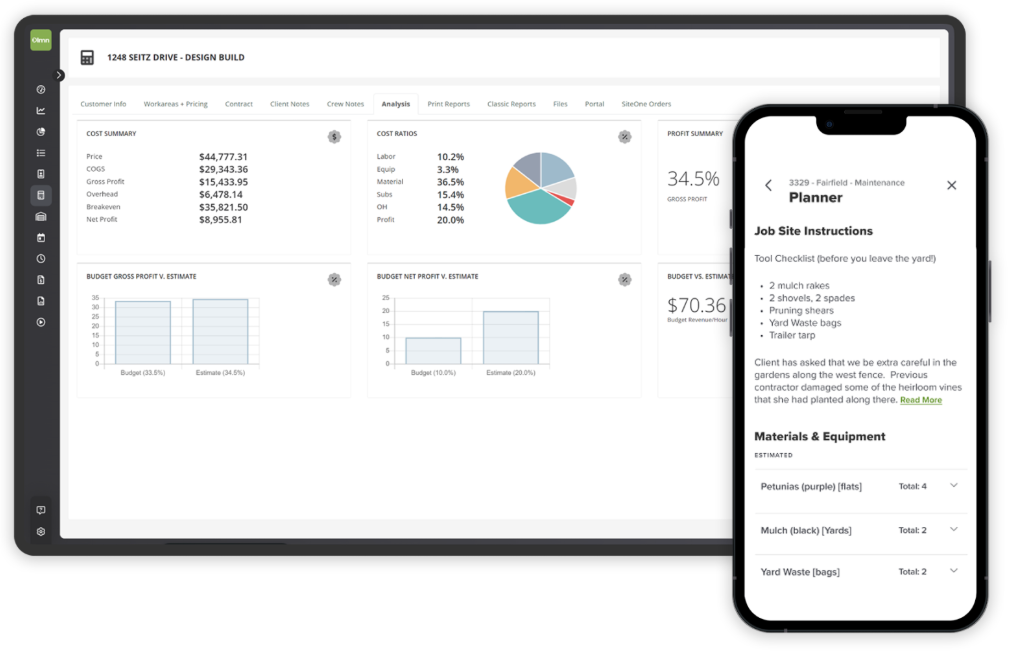
LMN is another landscaping software with QuickBooks integration for companies with limited administrative staff.
It pulls information from actual labor and overhead costs to ensure the data flowing into QuickBooks reflects margins, not static estimates.
Capterra rating: 4.5/5 stars
Best for: Small to mid-sized landscape companies that want budget-driven estimating that’s tied to their books.
Pricing:
LMN Starter: $297/mo
LMN Professional: $648/mo
Pros:
Easy payroll reporting: Payroll reports are quick and straightforward to generate.
Streamlined approvals: The client portal makes it easy for clients to review and digitally approve change orders.
Clear approval records: Keeps a complete log of client approvals, providing a reliable paper trail.
Cons:
Clunky user experience: Some workflows feel cumbersome and lack a smooth flow.
Learning curve: It takes time and patience to become familiar with the platform's features and workflows.
Limited document formatting: Estimates and invoices don’t fit standard two-window business envelopes.
Top features:
Budget-based estimating: Create bids from real costs so jobs are priced to hit your preferred margins, and accurate data are synced to QuickBooks.
Job costing dashboards: Monitor progress, productivity, equipment costing, and crew hours to inform pricing.
Customer management: Centralize client communications, proposals, job notes, and site photos so it’s easy to personalize customer relationships.
9. Arborgold
Source: Arborgold
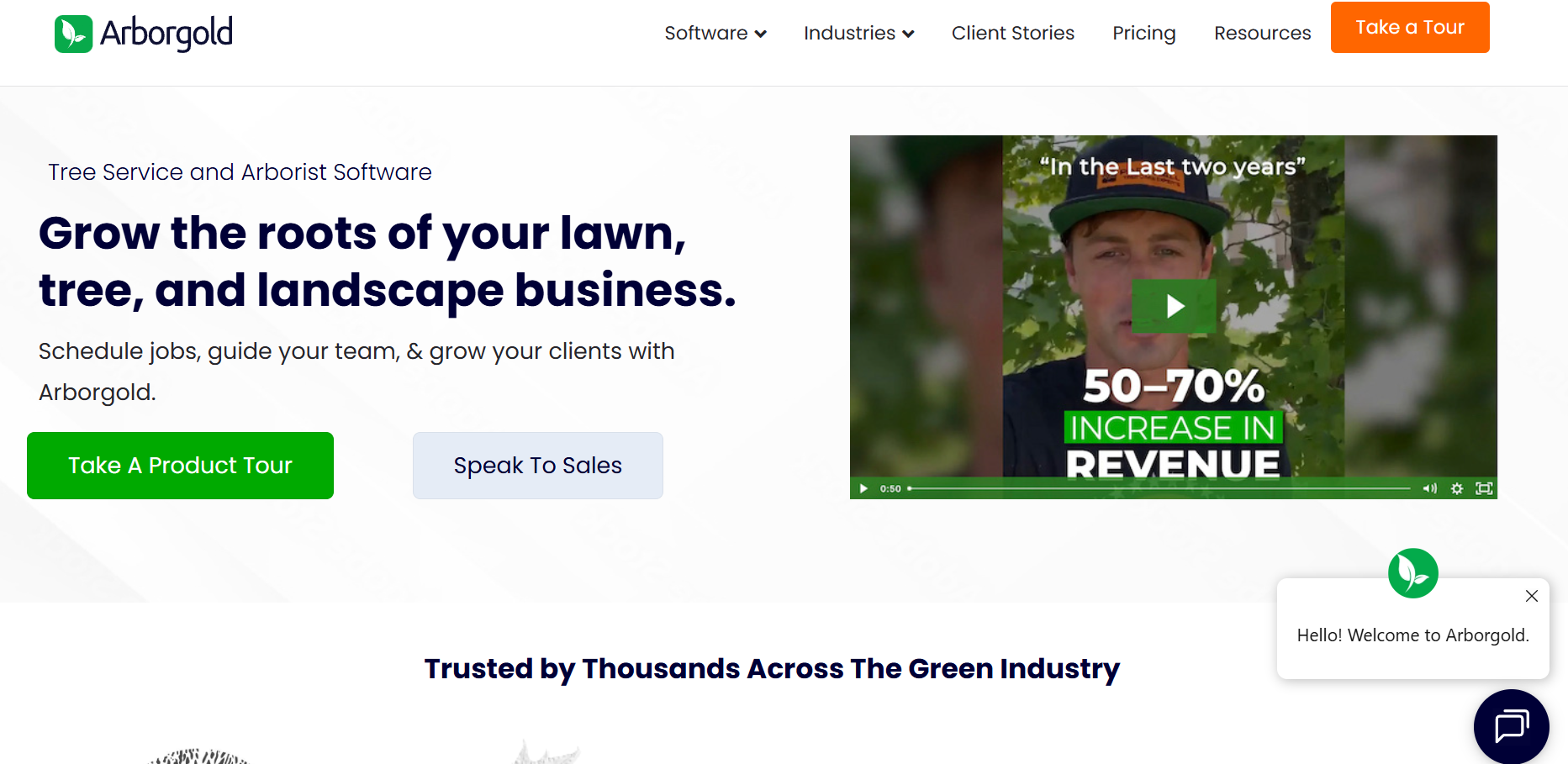
Arborgold software is designed for tree service, landscaping, snow removal, and lawn care businesses, offering features to help streamline operations and manage customer relationships.
It integrates with QuickBooks Desktop and QuickBooks Online to automatically sync invoices, customers, payments, purchase memos, and payroll data.
Arborgold also lets you track hours and export timesheets to QuickBooks to generate payroll.
Capterra rating: 4.3/5 stars
Best for: Small-to-medium tree care and landscape teams
Pricing:
Starter: $149/mo
Professional: $343/mo
Enterprise: $573/mo
Pros:
Strong estimating tools: The estimating features are useful for putting together project estimates when they work properly.
Detailed job tracking: Makes it easy to view account history, assign line items to crews, and track completed, invoiced, and rescheduled work.
Helpful reporting: Offers a range of administrative tools and reports for gathering valuable business information.
Cons:
Billing report issues: Some billed jobs may not appear in billing reports even though their payments appear in cash receipts.
Frequent glitches: Updating hours and pricing can be unreliable, sometimes requiring you to enter information multiple times.
Limited customer visibility: Recent notes and client communications aren’t displayed prominently on the main customer account page.
Top features:
Financial reporting: Generate profit and loss statements to assess financial health and make informed decisions.
Smart invoicing: Automatically prepare and send invoices once a job is marked complete.
Flexible billing: Lets you bill jobs together or separately and send automated voice or email reminders for overdue invoices.
10. QuoteIQ
Source: QuoteIQ
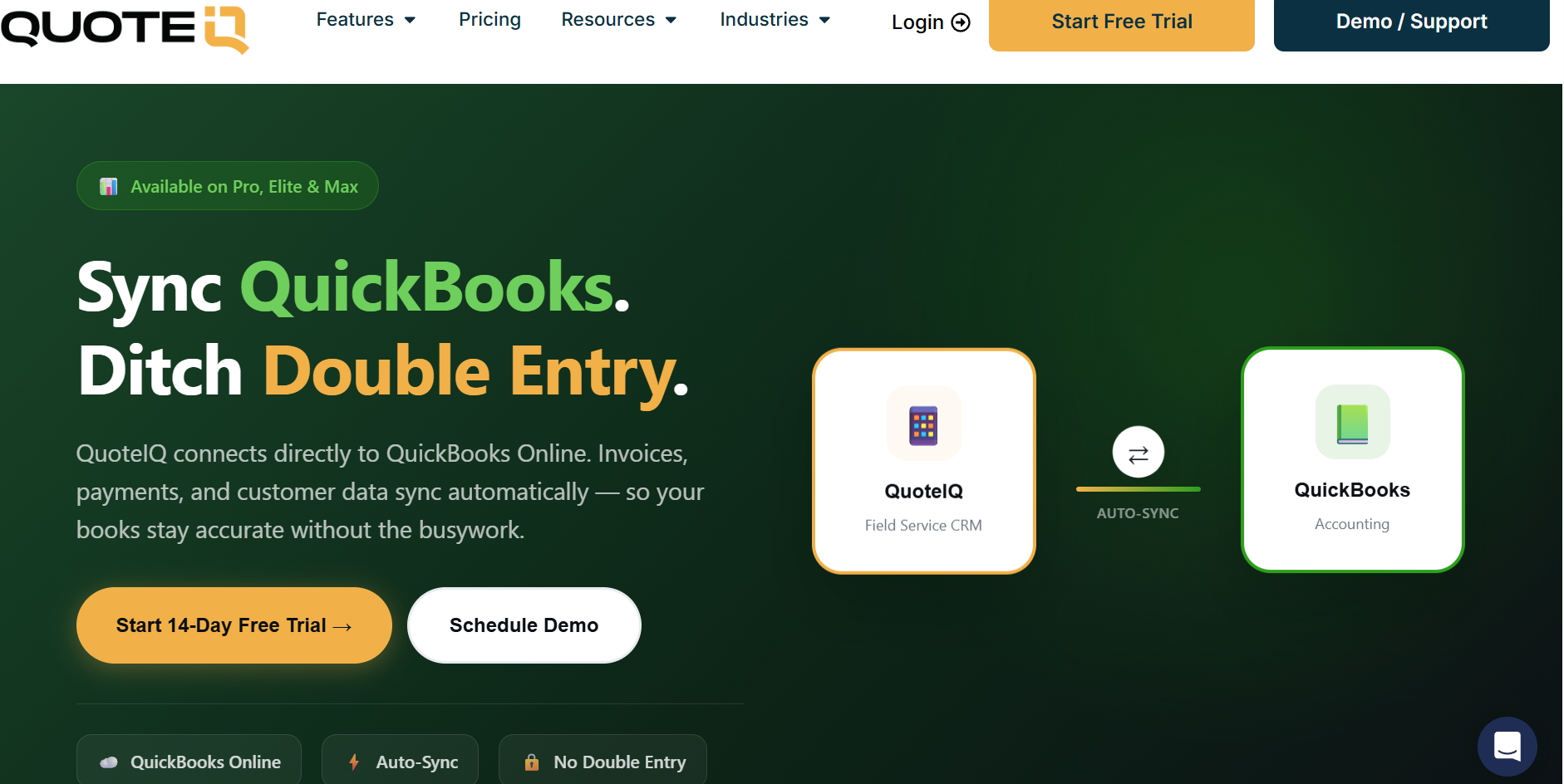
QuoteIQ is a business management software app for home service professionals, with features for estimation, invoicing, business analysis, and inventory management.
Its Pro plan includes a QuickBooks integration that lets customers sync invoices, payments, service line items, sales tax, convenience fees, and customer data automatically.
This helps reduce errors and keeps your financial records accurate.
Capterra rating: 5 stars (from six reviews)
Best for: Solo home service professionals and small landscape teams
Pricing:
Essentials: $29.99/mo
Beginner: $74.99/mo
Pro: $149.99/mo
Elite: $299/mo
Max: $699/mo
Pros:
Fast estimates and scheduling: Quickly send estimates, schedule jobs, and organize customer information in one place.
Helpful customer communication: Automated follow-up texts and reminders keep customers informed without manual outreach.
Highly customizable: Flexible features make it easy to tailor the platform to different service-based workflows.
Cons:
Setup takes time: The large number of features can make initial setup and configuration time-consuming.
Disappointing reporting: The dashboard and reporting features may not work as expected once you start using them.
Top features:
InstaQuote: A self-quoting widget that lets customers create quotes from your website and schedule appointments.
Package estimates: Create pre-built bundle services you can reuse when drafting quotes.
Job costing: Monitor project costs in real time to evaluate profitable jobs.
Best landscaping business and management apps
Landscaping business management tools are apps that streamline workflows, improve communication, and enhance productivity for field technicians and office staff.
They often provide cloud-based storage, mobile functionality, and automation to keep operations centralized, connect field and office teams, simplify new bid proposals and daily route planning, and communicate with customers.
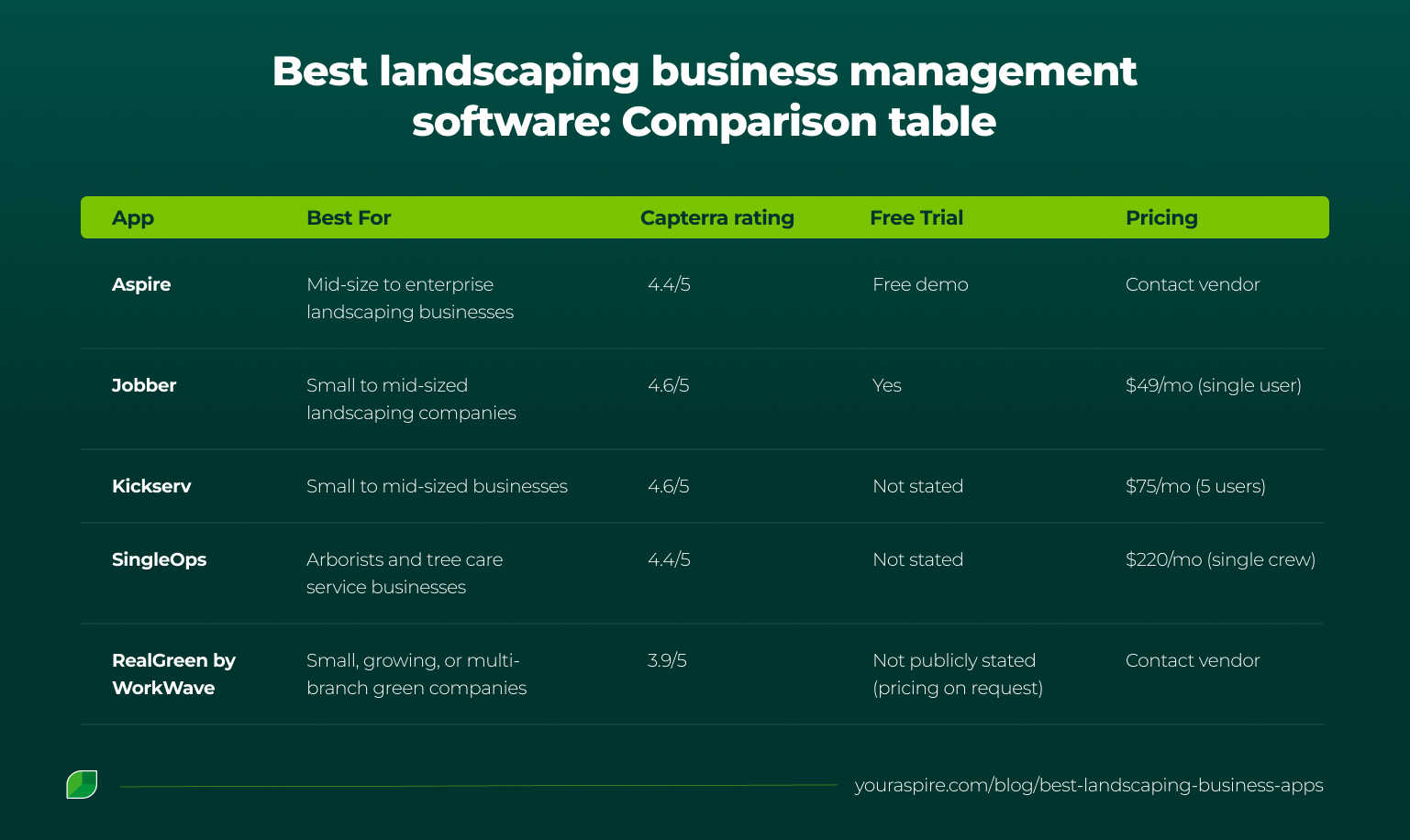
Some of the best landscaping business software is listed below:
11. Aspire
Source: Aspire
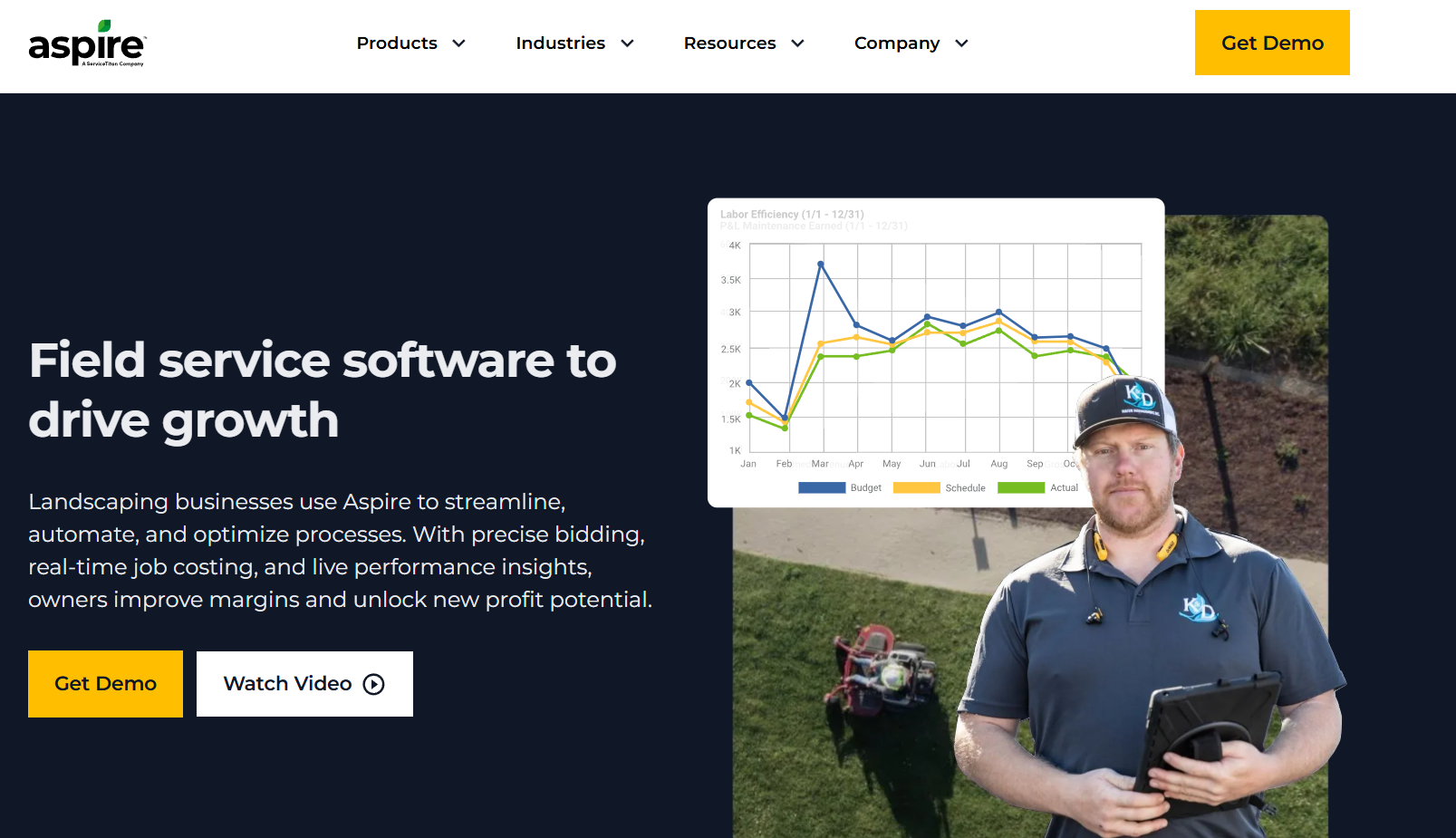
Aspire is an all-in-one landscaping software that gives business owners real-time visibility into their operations.
It helps landscapers simplify operations by offering features like estimating, scheduling, and invoicing in one system to improve the customer experience and grow revenue.
Aspire stands out for its real-time job costing that helps track profitability by properties, contracts, or crews.
This positions it as an option for larger, high-revenue-generating businesses.
There’s also Crew Control, a solution for smaller businesses to grow their landscaping company and transition into Aspire’s core platform.
Capterra rating: 4.4/5 stars
Best for: Mid-sized to enterprise landscaping businesses managing complex, multi-branch operations.
Pricing: Aspire’s pricing is available upon request.
Pros:
Helpful training resources: “The built-in training modules and knowledge center are super helpful tools… Not sure how a landscape company can run without this software.”
Faster field proposals: “Being able to build proposals in the field speeds things up drastically. Keeping pricing and cost updated helps make sure all employees are doing things the same.”
Improves business efficiency: “Aspire has been one of the best investments we’ve made. It has helped us become more organized, more efficient, and given us better insight into our business. I use it every day, and while no software is perfect, the benefits far outweigh the frustrations.”
Cons:
Occasional system issues: “They are trying to add too much to the system, which makes things break in other areas. With that said, they are always quick to push out a fix if something breaks.”
Top features:
Real-time reporting: Leverage the most impactful business metrics, make adjustments when necessary, track KPIs, and ensure profitable jobs.
Seamless scheduling: Drag-and-drop scheduling and an intuitive schedule board make it easy for dispatchers to update and reschedule jobs, avoid conflicts, and get full visibility into the day, week, or month ahead.
Mobile capabilities: Enable real-time communication between the field and office, view job details and equipment lists, and track time and materials accurately.
Professional estimating: Use customizable estimate templates to quickly build professional proposals, send them to the customer, and accept signatures electronically via a mobile device or the Customer Portal.
12. Jobber
Source: Jobber
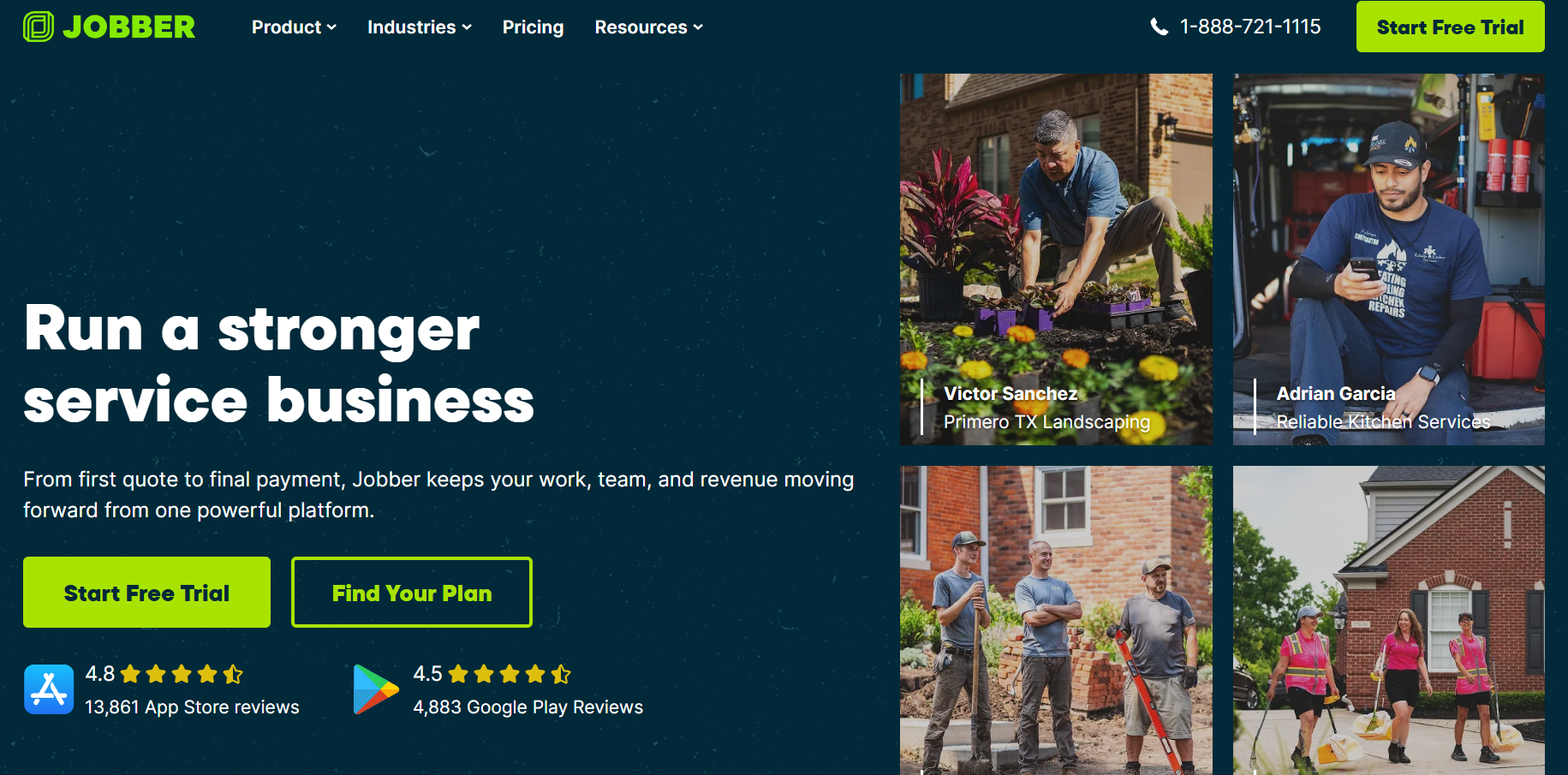
Jobber is a field service platform known for its simplicity, quick onboarding, and user-friendly interface.
It can streamline operations and optimize scheduling, invoicing, quoting, and client management.
Jobber helps connect scheduling to other landscaping workflows to keep operations centralized.
Capterra rating: 4.6/5 stars
Best for: Small to mid-sized landscaping companies who want fast onboarding.
Pricing:
Core: $49/mo
Connect: $139/mo
Grow: $199/mo
Pros:
Easy scheduling: Makes it easy to view open and scheduled appointments at a glance.
Convenient documentation: Photos from on-site appointments can be uploaded and stored as company records.
Faster payment collection: On-site signatures and immediate invoicing help shorten payment collection cycles.
Cons:
Limited profitability reporting: More detailed custom reporting would help evaluate the profitability of individual maintenance contracts.
Limited customer overview: The main overview could make it easier to see whether a customer has been contacted or needs a new appointment.
Manual client entry: New client names don’t automatically populate when searching, requiring users to enter them manually.
Top features:
Client hub: A customer portal where they can request work, approve jobs, make payments, and track appointments.
Professional quotes: Create estimates that show details of the work to be done with templates.
Business dashboard: See how well your landscaping business is performing by tracking multiple workflows and getting recommendations on how to improve.
13. Kickserv
Source: Kickserv
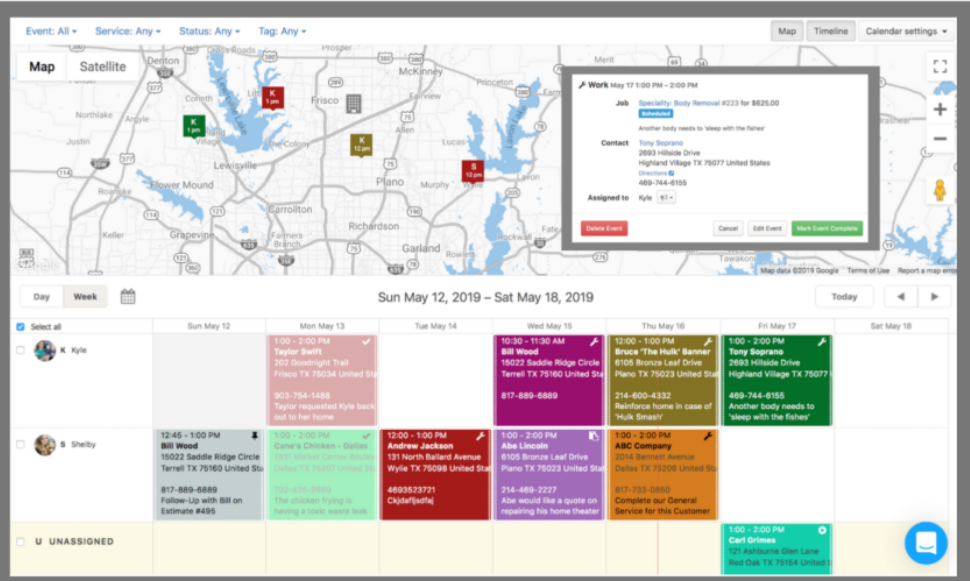
Kickserv is a cloud-based field service management software designed to help service businesses streamline operations, manage workflows, and improve customer service.
You can keep customers informed, monitor field staff locations, and get paid for projects without switching between multiple apps.
Capterra rating: 4.4/5 stars
Best for: Small to mid-sized businesses.
Pricing:
Start: $60/mo for five users
Run: $119/mo for ten users
Scale: $199/mo for 20 users
Pros:
Prompt client updates: Automated “on my way” texts keep customers updated without requiring manual messages.
Easy to use: The platform is intuitive and provides responsive support when issues arise.
Well-integrated features: Different parts of Kickserv work together smoothly with minimal issues.
Cons:
Cumbersome invoice creation: Requires creating a full quote just to use a template for a simple invoice.
Inefficient item selection: Adding multiple similar services or items requires repeated searches instead of selecting several at once.
Limited expense and filtering tools: Expense tracking and calendar view could be more robust, with more frequent platform improvements.
Top features:
Kickserv planner: Lets you manage, schedule, and keep track of jobs from anywhere.
Streamlined payments: Collect payments electronically or in the field with Kickserv’s mobile app.
Convenient communication: Automated appointment reminders and follow-up emails improve customer satisfaction and reduce no-shows.
14. SingleOps
Source: SingleOps
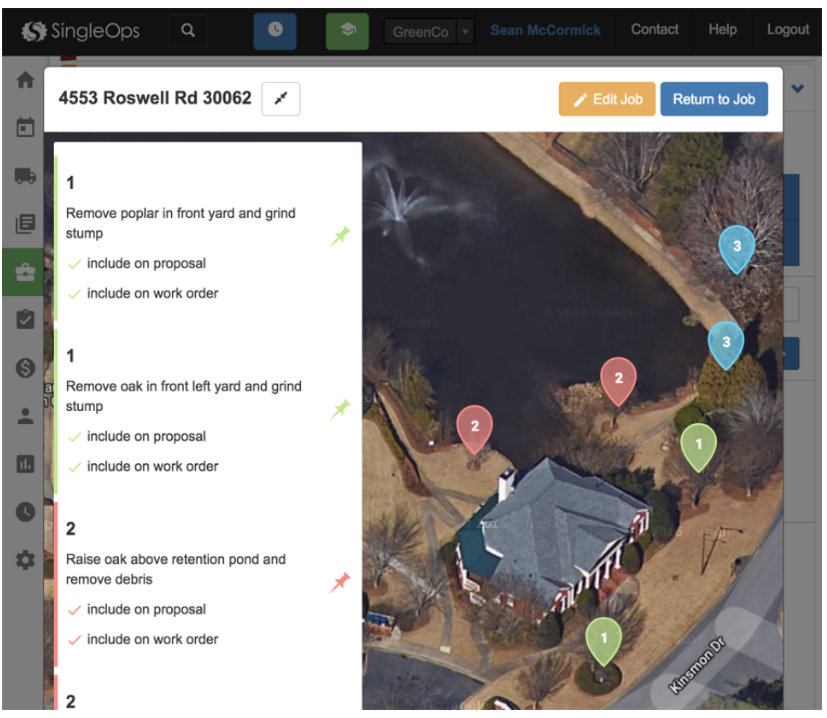
SingleOps is business management software for tree care services, built to simplify operations.
It offers tools for different parts of an arborist’s company, from tree inventory to client follow-ups, crew work orders, scheduling, and payment.
Crew members can also manage their workday by clocking in and out, checking job details, capturing photos, and sending invoices.
Capterra rating: 4.4/5 stars
Best for: Arborists and tree care service businesses that need industry-specific estimating and job costing
Pricing:
SingleOps Essential: $220/mo for single-crew businesses + $55/mo for additional offices or sales users.
SingleOps Plus: $385/mofor businesses with more than one crew + $115/mo for additional offices or sales users.
SingleOps Premier: $550/mo for businesses with over three crews + $150/mo for additional offices or sales users.
Pros:
Simple after training: The platform becomes straightforward once users are familiar with it.
Streamlined payments: Syncs client payments with QuickBooks and helps move jobs from scheduling to invoicing and payment with less paperwork.
Excellent onboarding: Provides a strong onboarding process with clear expectations, follow-up resources, and hands-on training.
Cons:
Limited employee time reporting: More robust employee-hours reporting would be useful for bookkeeping.
Busy interface: The overall design can feel cluttered and overwhelming at first.
Steep initial learning curve: The large number of features can make the platform confusing to set up and learn initially.
Top features:
Integrated landscaping CRM: Manage client information, communication history, and follow-up tasks to strengthen customer relationships.
Inventory management: Track inventory levels, order supplies, and manage vendor relationships to keep trucks stocked and technicians on the job.
Data and reporting: Use reporting and analytics tools to track KPIs, monitor profitability, and identify areas for improvement.
15. RealGreen by WorkWave
Source: RealGreen
RealGreen by WorkWave provides business management solutions for lawn care, landscaping, tree care, irrigation, and pest control industries.
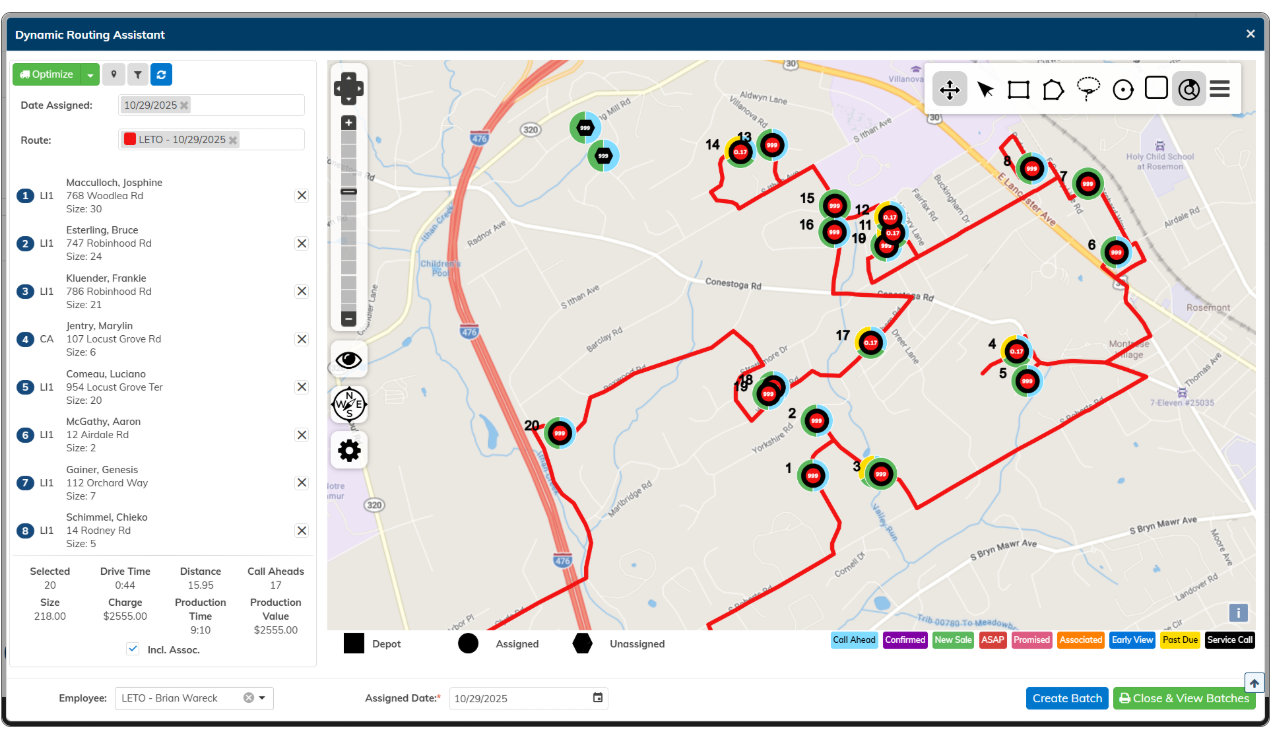
The software helps the green industry streamline its operations by providing different financial tools to increase sales, manage workflows with estimating, scheduling, and client management features, and improve overall efficiency by automating routing and quotes.
It stands out for its density-based route optimization, along with an AI tool that surfaces operational problems automatically rather than requiring manual report pulling.
Capterra rating: 3.9/5 stars
Best for: Small, growing, or multi-branch green companies that want centralized oversight.
Pricing: RealGreen’s pricing is available upon request.
Pros:
Simple and accessible: Easy to learn with key information clearly visible.
Smooth invoicing and billing: Makes the invoicing and billing process straightforward and efficient.
Easy customer management: Simplifies customer data and user profile management.
Cons:
Limited multi-day scheduling: Doesn’t allow a single job to be scheduled across multiple days.
Poor customer support: Tech support is often unhelpful, while account managers can feel more focused on sales than support.
Outdated features and functionality: Some advertised capabilities don’t work as expected, and certain processes feel outdated.
Top features:
Decision intelligence: Leverage RealGreen’s AI tool to analyze business data and make informed decisions.
Dynamic routing: Generate multiple routes in a few clicks categorized by technician’s skills, licensing, or vehicle condition.
Customer portal: Customers schedule service, request changes and cancellations, and view and pay invoices.
Best landscaping apps with route planning
Landscaping route-planning apps are software tools that optimize field techs’ routes to residential or commercial job sites.
They help identify the most efficient travel paths to minimize travel time, fuel costs, and vehicle wear while maximizing productivity and on-time arrivals.
Routing apps are essential in landscaping, especially for companies offering commercial services. With crews often varying by size and equipment used for specific properties on particular days, sudden rescheduling can be chaotic. Hence, the need for software with routing capability.
16. Crew Control, an Aspire Solution
Source: Aspire
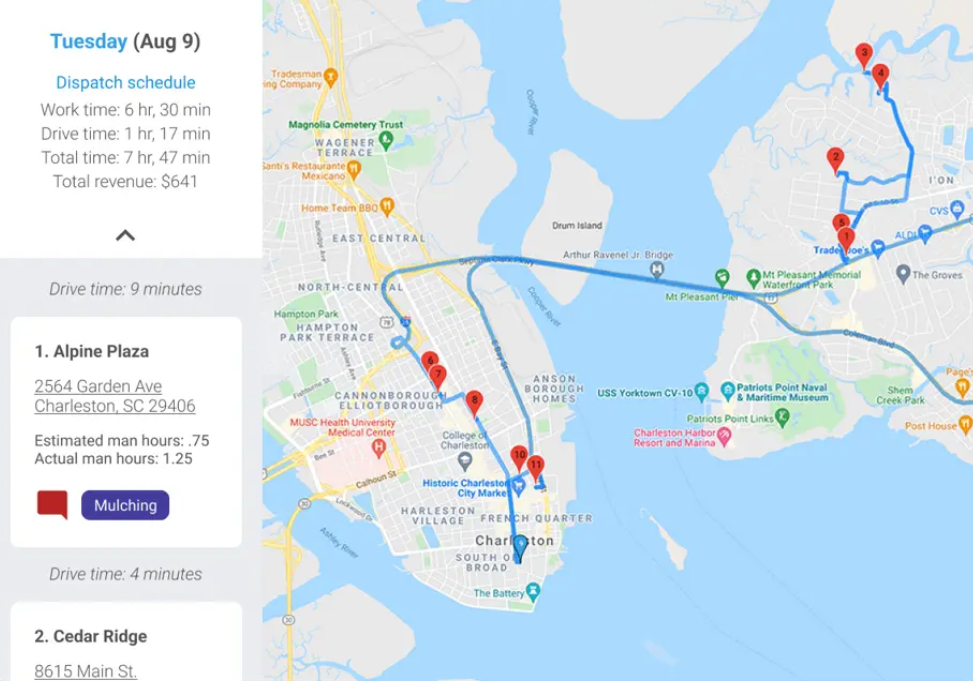
Crew Control is Aspire’s solution for growing landscaping companies that want to manage their operations and get more work done.
It has a route optimization feature that maps the most efficient route for the day, so your crew spends less time on the road.
Crew Control also offers scheduling and reporting tools so your crew sees changes on a project the moment you make them.
Capterra rating: 4.8/5 stars
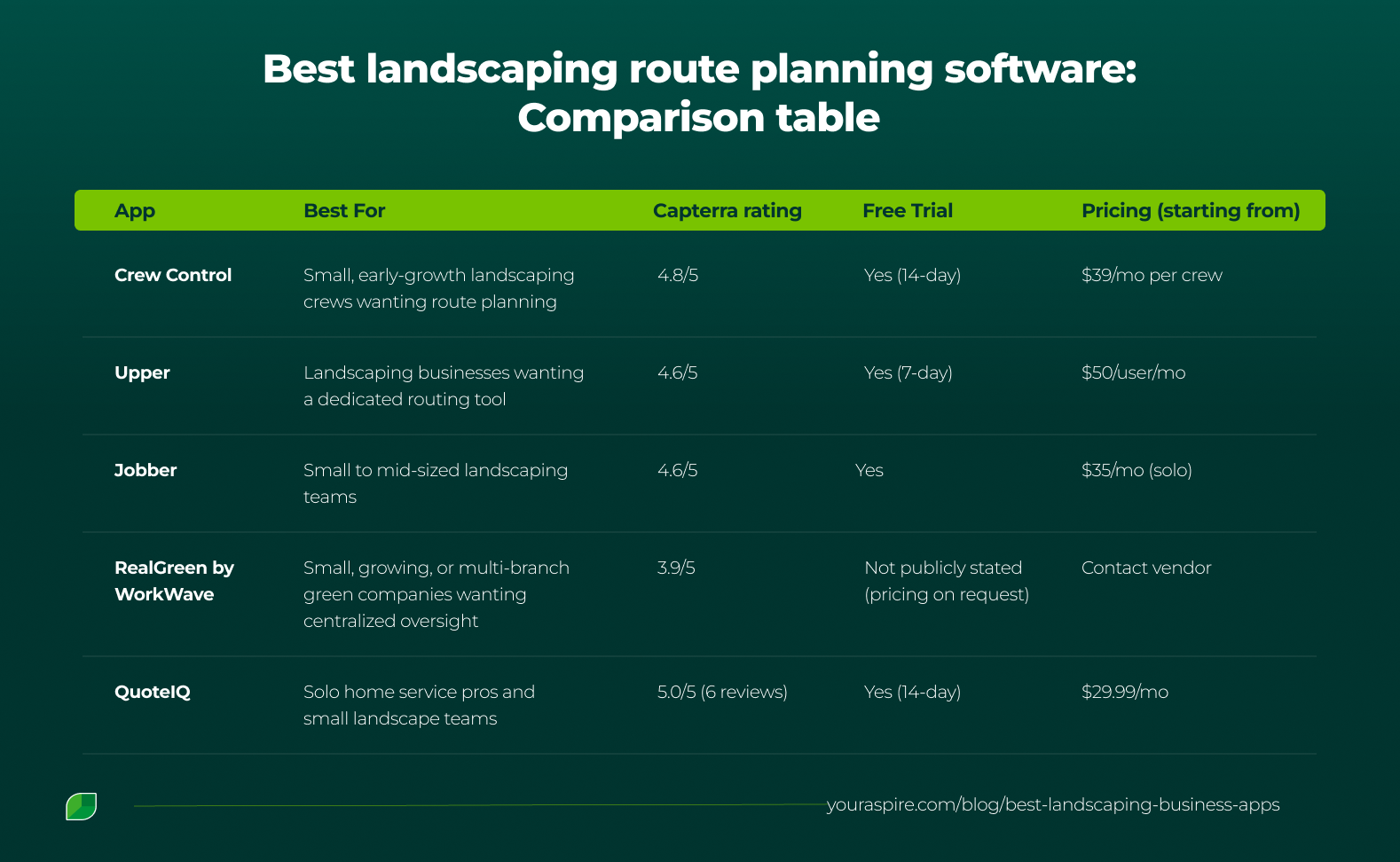
Best for: Small, early-growth landscaping crews that want landscaping management software with route planning.
Pricing:
Crew Control: $39/mo per crew
Crew Control Plus: $59/mo per crew
Pros:
Easy to use: Simple interface with intuitive drag-and-drop functionality.
Built-in maps and dispatching: Combines mapping, dispatching, and real-time adjustments in one platform.
Responsive customer support: Crew Control support responds quickly and is willing to make updates based on user needs.
Cons:
Clunky backend editing: Finding and updating behind-the-scenes information can be confusing and cumbersome.
Limited field functionality: Not ideal for managing, dispatching, or quickly adding customers while working in the field.
Top features:
Smart dispatching: Assign specific crew members to jobs based on availability, skills, and proximity to the job site. This ensures the right techs are assigned to each job, maximizing efficiency and productivity while increasing revenue potential.
Real-time tracking: Monitor crew locations and job statuses in real time to inform decisions, allocate resources effectively, and respond quickly to issues or delays.
GPS routing: Customers view the technician’s precise location on a map, improving the experience and providing transparency on arrival times.
17. Upper
Source: Upper
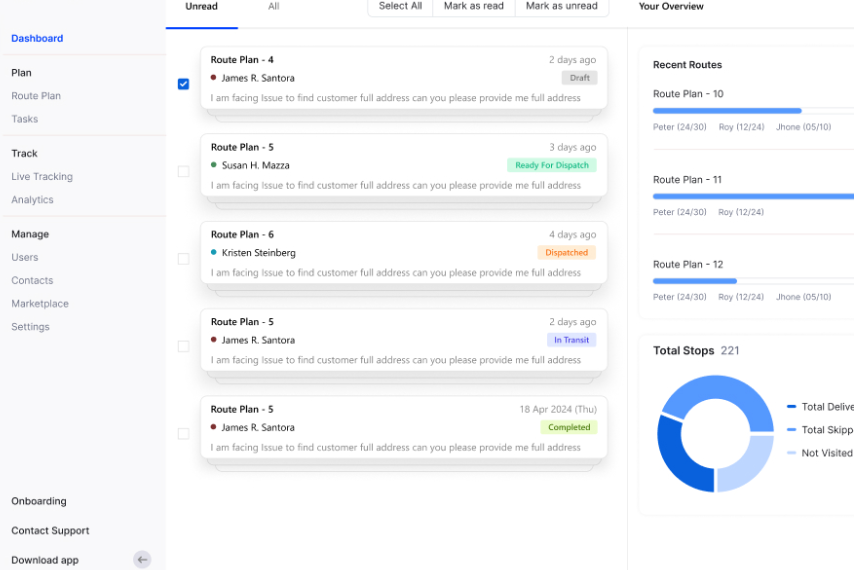
Upper’s route planning software provides route optimization, real-time driver tracking, proof of delivery (POD) services, and more.
You can create new routes or import existing ones from a spreadsheet or job list. Upper also has an AI tool to help with dispatching and scheduling projects.
Capterra rating: 4.6/5 stars
Best for: Landscaping businesses that need a dedicated routing tool.
Pricing:
Starter: $50 per user, per month
Professional: $60 per user, per month
Optimize: $89 per user, per month
Enterprise: Available on demand
Pros:
Flexible route planning: Handles unexpected schedule changes and makes it easier to adjust delivery routes.
Improves delivery efficiency: Helps teams stay organized, plan better routes, and deliver faster.
User-friendly interface: Clean and intuitive design makes it easy for non-technical users to get started.
Cons:
Learning curve for advanced features: More advanced tools can take time to learn and may feel intimidating at first.
Occasional glitches: The interface can become unreliable when updating large amounts of data.
Complex customization: Extensive customization options can be difficult to configure initially.
Top features:
Time- and distance-based routing: Automatically change routes based on time or distance and receive a list of optimized routes.
AI dispatcher: Use AI to balance workload, auto-sequence the day’s route, and make adjustments when projects change.
Fleet management: Get insights into revenue generated by your vehicle, per driver or per route, including maintenance records or fuel cards.
18. Jobber
Source: Jobber
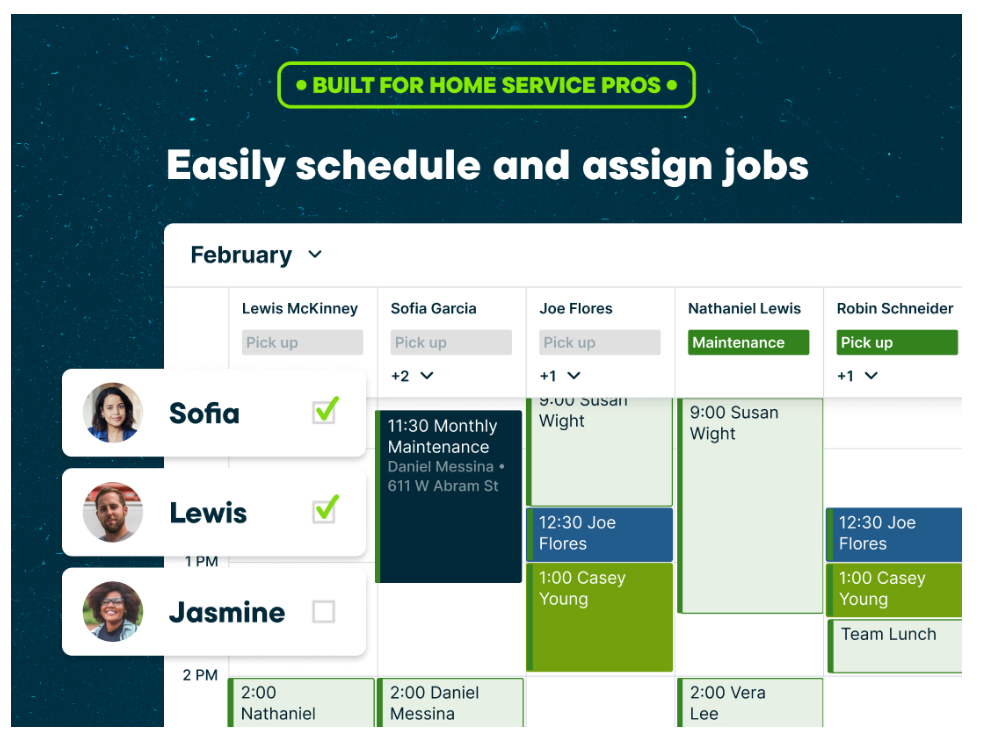
Jobber’s routing is built into scheduling, using map-based dispatching to ensure office staff can track technicians’ locations and assign the nearest crew to a job.
It organizes daily appointments to reduce drive time and create more efficient schedules.
Jobber’s routing uses road distances to determine the best routes, while dispatchers can look for specific start or end locations. Here, routes update as jobs are scheduled or rearranged, without a separate routing step.
Capterra rating: 4.6/5 stars
Best for: Small to mid-sized landscaping teams.
Pricing: For a solo team:
Core: $49/mo
Connect: $139/mo
Grow: $199/mo
Pros:
All-in-one platform: Combines scheduling, invoicing, customer profiles, reminders, and marketing tools in one place.
User-friendly workflow: Makes it easy to move from a client request to a quote, job, and invoice.
Saves time: Streamlines scheduling, quoting, invoicing, and estimates to make day-to-day work more efficient.
Cons:
Expensive CRM plans: Some useful features are only available on higher-tier plans, which can be costly for smaller businesses.
Limited recurring service controls: Closing out one completed recurring service can also affect future scheduled services.
Limited reporting and batch actions: Lacks build-from-scratch reporting and convenient batch selection tools.
Top features:
Efficient routes: Find the fastest, most fuel-efficient route to each job site.
Map-based dispatching: Enter a starting address, and Jobber finds the quickest route to the destination.
Automatic schedule updates and changes: Drivers receive instant notifications with step-by-step instructions as soon as the schedule changes.
19. RealGreen by WorkWave
Source: RealGreen
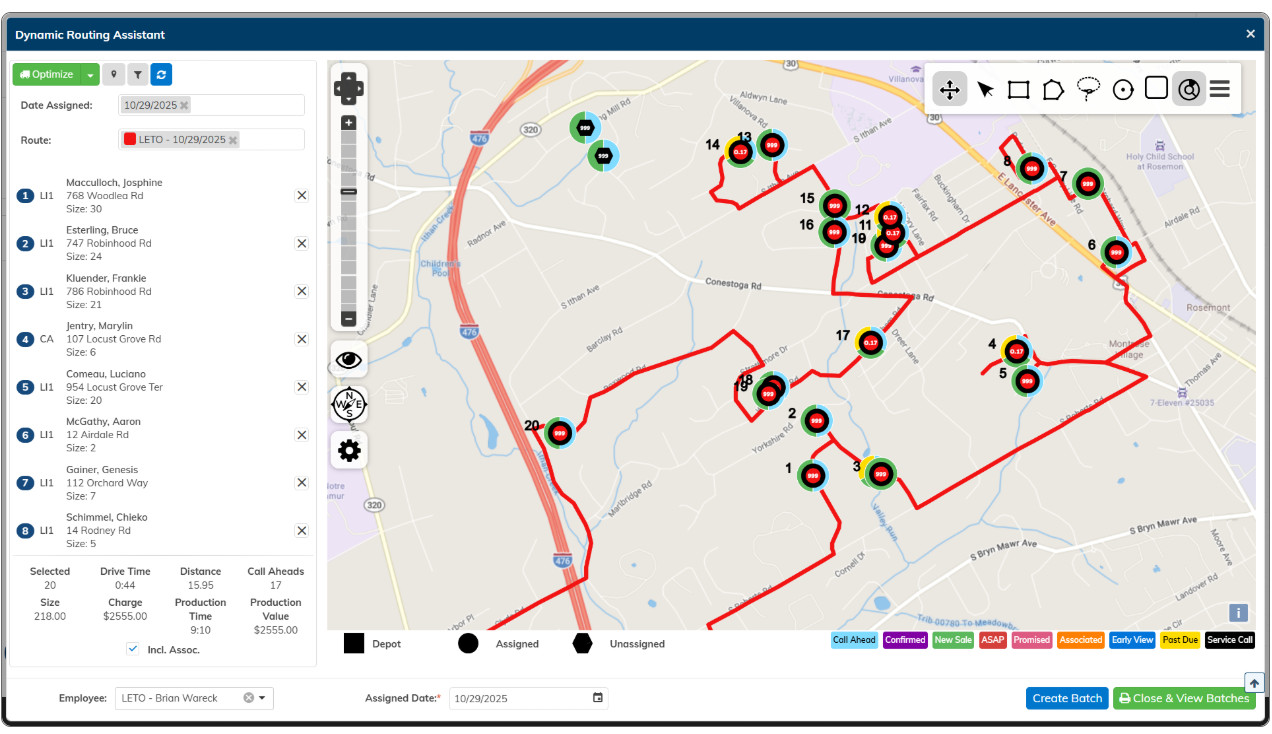
RealGreen’s routing feature is designed for landscaping services, offering density-based route optimization that groups jobs by geographic location or appropriate certification.
It helps plan routes that protect the business by considering traffic patterns and protect field workers by scheduling stops along a continuous side of a roadway instead of making dangerous U-turns.
RealGreen also connects routing with CRM and job data, allowing businesses to track route density and profitability by branch.
Capterra rating: 3.9/5 stars
Best for: Small, growing, or multi-branch green companies that want centralized oversight.
Pricing: RealGreen’s pricing is available upon request
Pros:
Detailed reporting: RealGreen offers extensive reporting tools for gaining deeper business insights.
Versatile platform: Supports a wide range of business tasks within one system.
Easy routing and tracking: Makes it simple to manage application routes, track jobs, and quickly generate pricing.
Cons:
Frequent outages: Bugs can cause system outages and disrupt business operations.
Unreliable truck tracking: Tracking can sometimes be slow or inconsistent.
Poor customer support: Support can be difficult to reach and may feel unhelpful or condescending.
Top features:
Dynamic routing: Automated route building based on business rules and service density.
Wavelytics integration: AI-flagged alerts for route or crew inefficiencies.
Live truck tracking: Monitor crews and company vehicles at all times.
20. QuoteIQ
Source: QuoteIQ
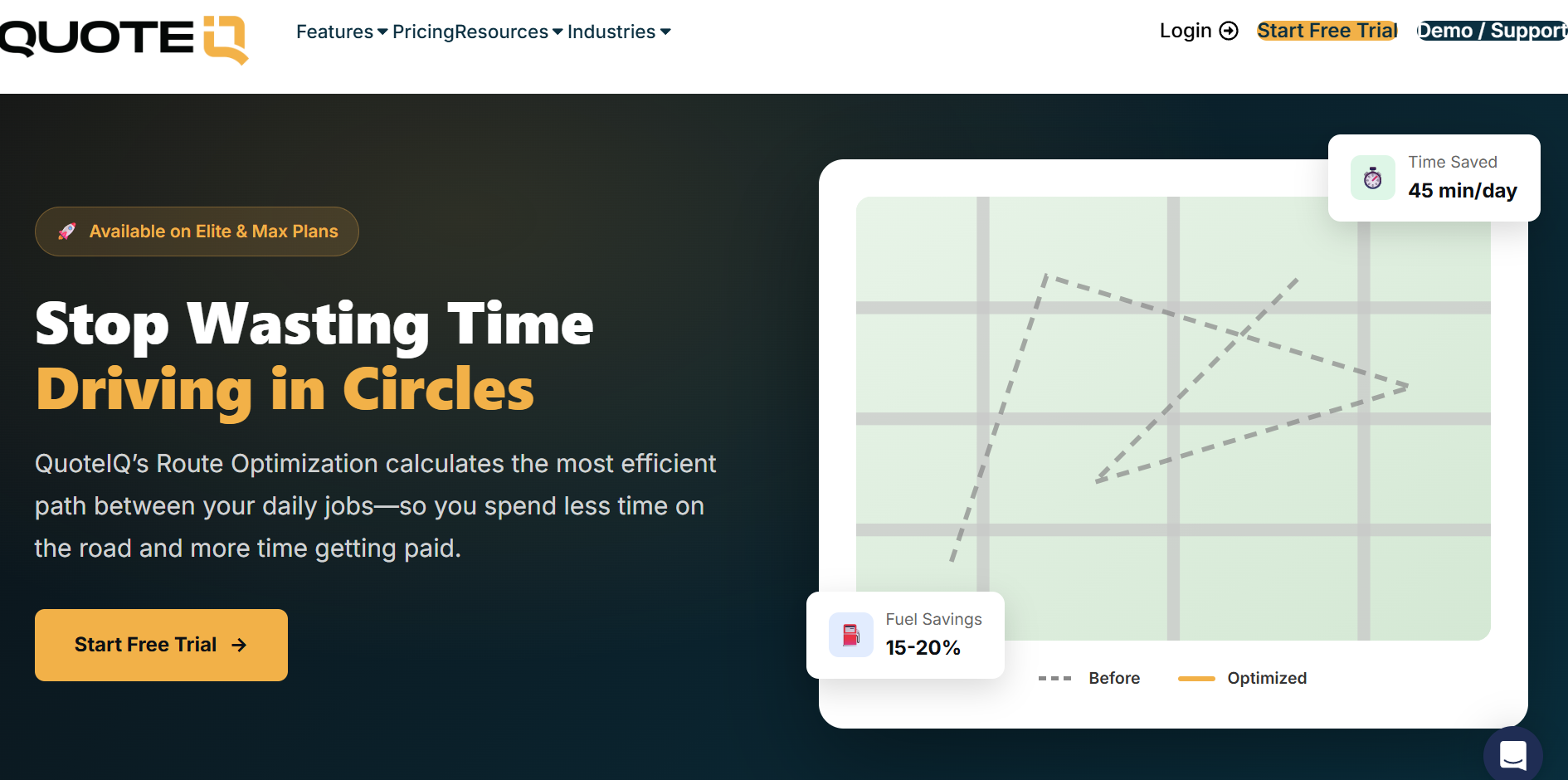
QuoteIQ’s routing feature is built directly into its scheduling calendar, where all your projects are.
There, you can find the best routes to save time and money by clicking the route optimization button. QuoteIQ’s AI analyzes project sites, calculates the most efficient sequence, and reorders the jobs to follow the new route.
You can also divide service areas into zones and assign each zone to specific days. This way, when a customer books an appointment, the system schedules them on the day assigned to their area.
Capterra rating: 5 stars (from six reviews)
Best for: Solo home service professionals and small landscape teams
Pricing:
Essentials: $29.99/mo
Beginner: $74.99/mo
Pro: $149.99/mo
Elite: $299/mo
Max: $699/mo
Pros:
Improves organization: Keeps jobs organized, improves customer communication, and saves time on scheduling and follow-ups.
Highly customizable: Can be tailored to different service-based workflows.
Flexible quoting and automation: Offers flexible quoting, simple scheduling, and automation that reduces manual follow-ups.
Cons:
Takes time to learn: The wide range of features can take time to explore and learn.
Difficult setup: The initial setup process can be challenging.
Top features:
Route density: Groups jobs by geographic area so crews can stay within nearby neighborhoods, reducing drive time and improving overall efficiency.
AI sequencing tool: Automatically reorders the daily schedule based on the most efficient route order.
Job scheduling: Assign crews, schedule projects, and dispatch crews from a single location.
What features should landscaping apps have?
A good landscaping app should provide task management tools to cover your business’s operational and essential needs, along with specialized tools for advanced workflows:
Here’s what is typically considered essential for a landscaping business:
Estimating, proposals, and invoicing: A good landscaping tool should simplify creating quotes, drafting client proposals, and converting them into invoices when the job is done.
Scheduling and dispatching: It should include a system to help you assign projects to crews as soon as they’re won, track daily routes, and update the schedule whenever changes happen.
Job costing: Tracking estimated labor, material, and equipment costs against a project's actual costs is another important feature that helps protect profit margins and identify best-selling landscaping service lines.
Time tracking: Ideally, a mobile app for workforce management should help crews log hours for accurate payroll and cost tracking.
Customer management: A customer relationship management (CRM) tool is another must-have to store client details, service history, and proposals and personalize communication.
Reporting: It should also provide detailed insights into business operations, monitoring profitability, job status, and business performance through dashboards, graphs, or spreadsheets.
In addition to these, it would be nice for the software to have the following features in its stack:
Route optimization: Helps manage multiple stops, reduce crews’ drive time, and ensure productivity, especially for businesses with large crews and multiple clients across the city.
Property measurement: Landscaping apps with measurement tools help speed up the estimating process. They also cut time when you need to present landscaping design proposals. You can pull measurements from aerial photographs without visiting the site.
Accounting integrations: Software connected with QuickBooks or other accounting syncs can reduce manual bookkeeping and keep your finances in order.
How can landscaping apps improve business operations?
Landscaping business software simplifies and centralizes daily operations by automating manual tasks that would otherwise take much longer to complete.
For example, instead of tracking customer information and maintaining communication across spreadsheets and texts, landscaping apps consolidate these tasks into a single system.
A CRM houses all client information that both the office and field crew can access. Some software even integrates with marketing tools like text or email service providers so you can send messages without leaving the app.
Automation reduces repetitive tasks, like generating invoices after completed jobs, converting estimates to work orders or invoices, and updating crews via mobile phone notifications. This frees up time for other tasks like sales and client relationships.
How about job costing and reporting?
They provide visibility into which jobs, service lines, or crews are profitable and how the business is faring, so you can keep stakeholders informed and make smart decisions.
Looking for a landscaping app?
The best software helps landscaping contractors optimize every aspect of their business, from scheduling and routing to customer relationship management, estimating, payments, and inventory management.
A prime example is Aspire’s landscape business management platform that improves the way lawn care businesses are run by:
Saving time by reducing manual processes
Operating more efficiently
Booking more jobs
Communicating better with customers
Accessing and optimizing real-time data
That’s what Landscape Workshop experienced when they used Aspire.
Before Aspire, they struggled to stay on top of billing. With this landscaping tool, they streamlined and improved billing for standard contract work, enhancement projects, and irrigation T&M work.
Now, they miss fewer billings, and the office team spends less time tracking down errors. Aspire’s ability to integrate with Landscape Workshop’s existing accounting system and payroll system (ADP) via APIs also reduced duplicative work.
Here’s how they describe their experience with Aspire:
“The Aspire platform has changed the way we do business. It has helped us save on headcount while helping our guys in the field be more effective. We’re more transparent across the company and also with our customers.”
Ready to reduce manual work and streamline operations? Schedule a demo today to see how Aspire helps landscaping businesses thrive.





 866-727-7473
 Schedule Demo
 390 S Woods Mill Rd #300 Chesterfield, MO 63017


